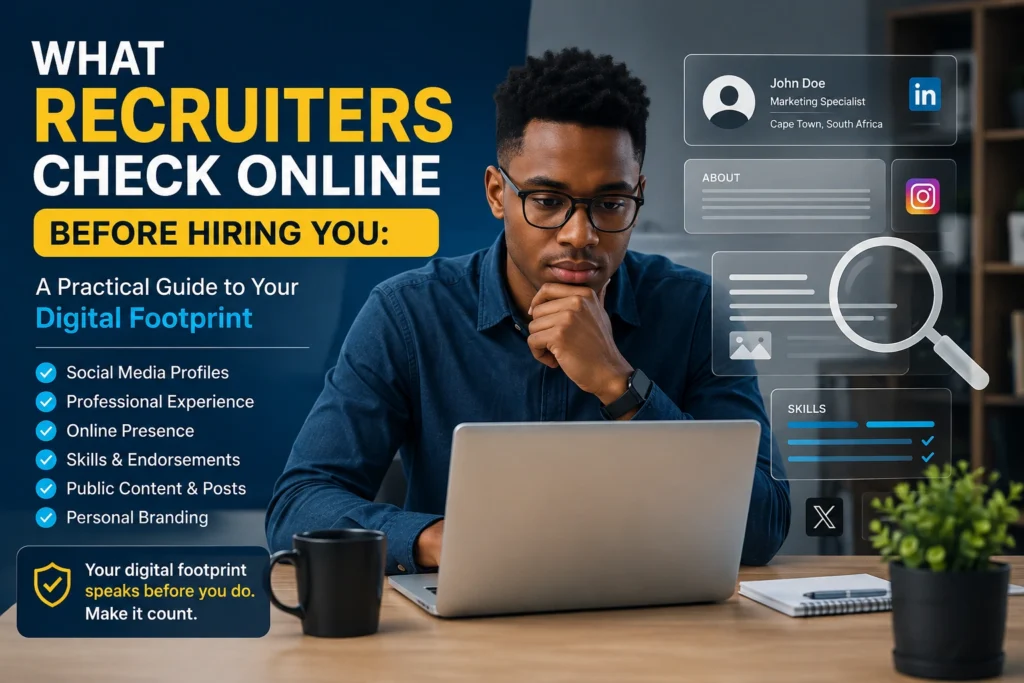

What Recruiters Check Online Before Hiring You: You may have a strong CV, relevant qualifications and excellent interview skills, but there is another part of your job application that many candidates overlook: what recruiters can find about you online.
Before inviting someone to an interview—or sometimes before making a final hiring decision—recruiters may search for publicly available information connected to a candidate. This can include LinkedIn profiles, professional websites, portfolios, social media accounts, online publications and other search results.
That does not mean every recruiter spends hours investigating every applicant. Recruitment processes differ between companies, industries and roles. However, candidates should understand that their online presence can contribute to the overall impression they make.
For job seekers, particularly graduates, interns and people applying for competitive positions, this creates an important question: What Recruiters Check Online, and how can you make sure what they find supports your application rather than undermines it?
The good news is that you do not need to create a perfect internet persona. You simply need to make your public digital footprint accurate, professional and consistent with the person presented in your CV.
ALSO APPLY FOR: Siyavula Learnership 2026
ALSO APPLY FOR: Discovery PWD Learnership 2026
What Recruiters Check Online
Recruiters generally look for information that helps them understand a candidate’s professional identity, experience and suitability for a position.
The exact process varies. Some recruiters may only check LinkedIn, while others may review search results or a public portfolio when the role requires it.
Common areas include:
1. LinkedIn profiles
For professional recruitment, LinkedIn can be one of the most useful sources of information.
A recruiter may compare your LinkedIn profile with your CV to see whether your qualifications, employment history, skills and career information are broadly consistent.
They may also look at:
- Your headline
- About section
- Current and previous roles
- Education
- Skills
- Certifications
- Projects
- Recommendations
- Professional activity
- Portfolio links
An incomplete LinkedIn profile does not automatically disqualify you, but a well-maintained profile can make it easier for recruiters to understand your background.
2. Search engine results
Recruiters may search your name on Google or another search engine, particularly when you have progressed further in the recruitment process.
The results could include professional profiles, published articles, university activities, business websites, portfolios, interviews, public social media posts or other pages associated with your name.
You cannot control every search result. Someone else may have the same name, and old information can remain online for years.
However, you can control many of the results directly connected to you.
3. Public social media profiles
Recruiters may encounter public profiles on platforms such as Facebook, Instagram, TikTok, X or other social networks.
The important distinction is between publicly accessible information and private personal activity. A recruiter should not be assumed to have access to private accounts or content.
Still, anything you deliberately make public can potentially become part of your digital footprint.
This is why checking your privacy settings and reviewing older public posts can be worthwhile.
4. Online portfolios and personal websites
For certain careers, your online work may be more important than your social media presence.
Designers, developers, writers, marketers, photographers, analysts and other professionals may have portfolios showing actual examples of their abilities.
A recruiter could examine:
- Projects you have completed
- Case studies
- Writing samples
- Designs
- Code repositories
- Professional achievements
- Personal projects
- Contact information
A simple portfolio containing relevant work can strengthen your application because it provides evidence beyond the claims made on your CV.
5. Professional qualifications and achievements
Recruiters may also encounter information about qualifications, professional memberships, competitions, awards, volunteering and other activities.
For graduates without extensive employment history, these details can help demonstrate initiative and practical ability.
The goal is not to fill the internet with achievements. Instead, make legitimate accomplishments easy to verify where appropriate.
Why This Issue Matters
Your online presence can influence how easily a recruiter understands your professional identity.
Imagine that your CV says you are interested in data analysis, your LinkedIn profile highlights Excel and SQL, and your portfolio contains two small data projects. A recruiter searching your name finds a consistent professional story.
Now consider the opposite situation. Your CV lists one set of dates, LinkedIn contains outdated information, your portfolio has broken links and your public profiles contain posts that could raise legitimate professional concerns.
Neither situation guarantees a hiring decision. Recruitment is more complicated than one online search. However, inconsistency creates unnecessary questions.
For students and entry-level applicants, this is especially important because recruiters may have limited work experience to assess. Your projects, LinkedIn activity, university achievements and professional interests can provide additional context.
There is also a broader lesson: your digital footprint is part of your professional reputation.
You do not need to behave as though everything you post is an advertisement for yourself. People have personal lives and opinions. But it is sensible to understand what is publicly visible and consider whether it could affect your professional goals.
ALSO READ ABOUT: Negotiating Salary Respectfully
How to Prepare Your Online Presence Before Applying
The best approach is not to panic-clean your entire internet history. Instead, conduct a structured digital footprint audit.
Step 1: Search your full name
Open a private or incognito browser window and search your name.
Try variations that a recruiter could realistically use, such as:
- Full name
- Full name + city
- Full name + profession
- Full name + university
- Full name + LinkedIn
Look through several pages of results if necessary.
Separate results into three categories:
Keep: Information that supports your professional identity.
Review: Information that is outdated, unclear or unnecessary.
Remove or restrict: Public information that you control and no longer want publicly accessible.
Remember that search results can include people with similar names. Do not assume every result belongs to you.
Step 2: Review your LinkedIn profile
Make sure your LinkedIn profile agrees with your CV.
Check your:
- Name
- Profile photo
- Headline
- About section
- Education
- Employment history
- Skills
- Certifications
- Projects
- Contact information
Avoid turning the profile into a list of buzzwords.
Instead of writing that you are a “highly motivated, innovative, dynamic and results-driven professional”, explain what you actually know and what you have done.
For example, a graduate interested in data could mention university projects involving Excel, SQL, Power BI or statistical analysis if those skills genuinely reflect their experience.
Step 3: Check your social media privacy settings
Review every major social platform you use.
Ask:
- Is my account public?
- Which posts are visible to people who do not follow me?
- Is my phone number publicly displayed?
- Is my email address exposed?
- Are old posts still public?
- Can strangers see tagged photos?
- Is my profile linked to other accounts?
You do not necessarily need to delete your personality from social media. The objective is to understand what is publicly available and make deliberate choices.
Step 4: Check your old public posts
Older content is easy to forget.
Review posts, photos, comments and public interactions that are still visible.
Pay particular attention to content involving:
- Abusive or threatening language
- Harassment
- Hate speech
- Discriminatory comments
- Confidential workplace information
- Fraudulent claims
- Deliberate misinformation presented as professional expertise
- Offensive content connected directly to your professional identity
The issue is not whether recruiters agree with every personal opinion you have. The practical question is whether publicly available content could reasonably create concerns about your professionalism, judgement or ability to work with others.
Step 5: Update your portfolio
If you include a portfolio link on your CV, test it yourself.
Check whether:
- Every page loads
- Images work
- Project descriptions are clear
- Contact details are correct
- There are no embarrassing placeholders
- Your latest work is visible
- The site works on mobile devices
A broken portfolio can be more damaging than having no portfolio link at all.
Step 6: Make your professional identity consistent
Your CV, LinkedIn profile and portfolio should tell the same basic story.
Your job titles do not have to be word-for-word identical, but major facts should not contradict each other.
For example, if your CV says you completed a qualification in 2025 while LinkedIn says 2024, correct the inconsistency.
Also check spelling. A professional name that changes across different profiles can make it harder for recruiters to connect your accounts.
Best Practices Experts Recommend
A strong online presence is usually built gradually rather than immediately before an application.
One useful habit is to maintain your LinkedIn profile whenever something significant changes in your career.
Complete a project? Add it.
Earn a relevant certification? Update your profile.
Complete an internship? Add the experience.
Build a useful portfolio project? Publish it if appropriate.
You should also focus on evidence rather than self-promotion.
Instead of repeatedly describing yourself as an excellent problem solver, demonstrate problem-solving through a project, case study, achievement or work example.
Another good practice is to separate personal and professional identities where appropriate. You do not need to create multiple personalities online, but you can use privacy settings and professional profiles deliberately.
For graduates, building a small body of credible work can be particularly valuable. A data analyst applicant might publish a dashboard project. A software developer might maintain a GitHub portfolio. A marketing graduate might create a campaign analysis. A graphic designer might present selected design work.
The strongest online presence is not necessarily the one with the most content. It is the one that makes relevant evidence easy to understand.
Mistakes People Often Make
Creating a fake professional personality
Trying to sound excessively corporate can make a profile less convincing.
Recruiters generally need useful information, not a collection of fashionable business phrases.
Copying the CV word-for-word
Your LinkedIn profile should complement your CV rather than simply duplicate it.
Use the platform to provide additional context about your experience, interests and projects.
Leaving outdated information everywhere
An old job title, incorrect graduation date or abandoned portfolio can create confusion.
Schedule a quick digital profile review every few months.
Assuming privacy is guaranteed
Public information can travel beyond the platform where you originally posted it.
Always understand your privacy settings before posting something you would not want broadly accessible.
Deleting everything before applying
A sudden attempt to erase your entire online history is unnecessary.
Focus on publicly visible information that you control and that is genuinely relevant to your professional reputation.
Using someone else’s work as your own
This is one of the most serious mistakes a candidate can make.
Do not present copied projects, fake qualifications, fabricated experience or other people’s work as your own. Online portfolios make verification easier, not harder.
Forgetting about usernames and old accounts
Old accounts can remain searchable.
Search your name and commonly used usernames to identify profiles you may have forgotten.
A Simple 30-Minute Digital Footprint Check
If you have an application deadline approaching, you can complete a basic review in about half an hour.
First 5 minutes: Search your name and identify publicly visible results.
Next 10 minutes: Review LinkedIn and make sure your CV and profile are consistent.
Next 5 minutes: Check social media privacy settings.
Next 5 minutes: Review your portfolio, website or professional links.
Final 5 minutes: Check for outdated information, broken links and public content you control that should be removed or restricted.
This will not guarantee a job. It simply reduces avoidable problems.
Frequently Asked Questions
Do recruiters really check social media?
Some recruiters and employers may review publicly available social media information, while others may not. Recruitment practices vary considerably. You should therefore treat public content as potentially visible without assuming that every recruiter will investigate your accounts.
Should I delete my social media before applying for jobs?
Usually, there is no need to delete everything. Review your privacy settings and remove or restrict public content that could create legitimate professional concerns. You can still maintain a personal online presence.
What if I have no LinkedIn profile?
Not having LinkedIn does not automatically prevent you from getting a job. However, for many professional roles, a complete LinkedIn profile can make it easier for recruiters to verify your professional background and discover relevant skills or experience.
Can a bad online result ruin my job application?
Not necessarily. Recruitment decisions normally involve multiple factors, including qualifications, experience, interviews and role requirements. However, inaccurate, offensive, fraudulent or seriously unprofessional public information can create avoidable concerns.
Final Summary: Take Control of What Recruiters Can Find
Understanding What Recruiters Check Online is not about creating a fake image or trying to make your personal life look like a corporate advertisement.
It is about managing your digital footprint responsibly.
Start by searching your name. Review your LinkedIn profile, public social media accounts, portfolio and other professional pages. Correct obvious inconsistencies between your CV and online profiles. Remove or restrict public content that you control and that could reasonably damage your professional reputation.
Most importantly, build an online presence that provides evidence of your abilities.
For students and graduates, that could mean documenting projects, showcasing relevant skills, publishing a portfolio or maintaining an accurate LinkedIn profile. For experienced professionals, it could mean keeping career information current and demonstrating expertise through meaningful professional contributions.
You cannot control everything that appears online, and you should not try to eliminate every trace of your personal identity. What you can control is whether the information most closely associated with your name presents an accurate, credible and professional picture.
Before sending your next job application, spend 30 minutes checking what a recruiter might see. That small investment can help you avoid unnecessary surprises and ensure your digital presence supports the story your CV is already telling.
ALSO APPLY FOR: Siyavula Learnership 2026
ALSO APPLY FOR: Discovery PWD Learnership 2026
ALSO READ ABOUT: Negotiating Salary Respectfully