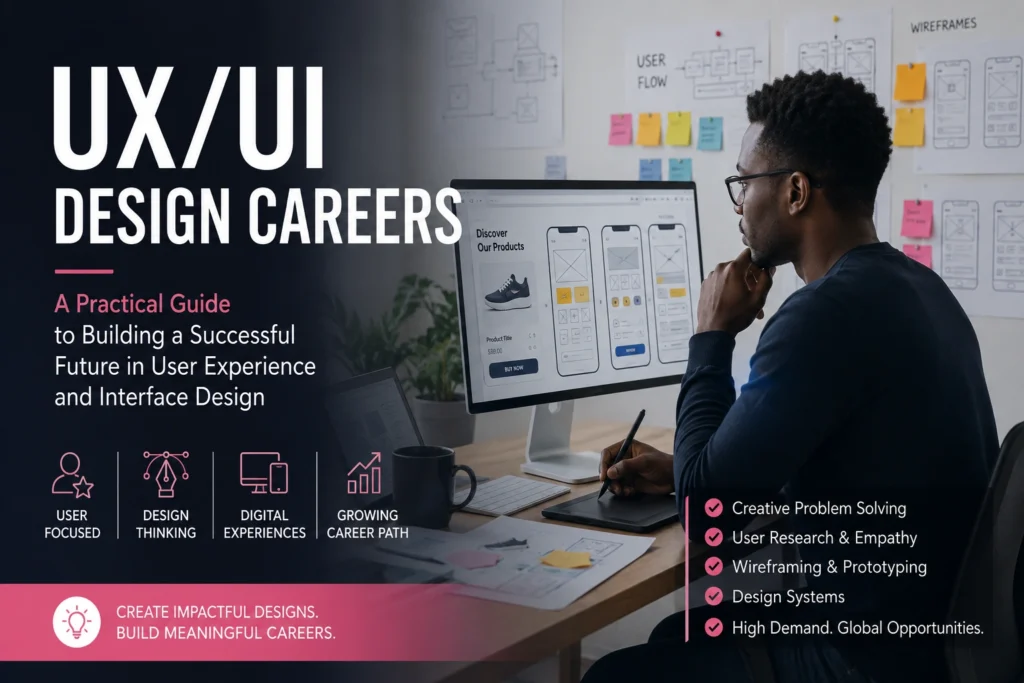

Technology has changed the way people shop, learn, communicate, bank, and access healthcare. Yet many websites and mobile apps still frustrate users with confusing layouts, poor navigation, and complicated experiences. At the same time, thousands of aspiring designers are interested in UX/UI Design Careers but struggle to understand where to start, what skills employers expect, and whether the field offers long-term opportunities.
The challenge isn’t simply learning design software. Modern UX/UI professionals must understand human behavior, solve real-world problems, collaborate with developers and business teams, and continuously adapt to changing technologies.
If you’re considering a career in digital design or looking to transition into a more creative technology role, this guide explains everything you need to know. You’ll learn what UX and UI design involve, why the profession continues to grow, the skills employers value most, and practical steps you can take to build a successful career.
What Are UX/UI Design Careers?
UX/UI Design Careers focus on creating digital products that are easy, enjoyable, and efficient to use.
Although UX (User Experience) and UI (User Interface) are closely connected, they represent different areas of expertise.
User Experience (UX) Design focuses on how a product works. UX designers research user needs, identify pain points, organize information logically, and create experiences that help people achieve their goals with minimal frustration.
User Interface (UI) Design focuses on how a product looks and feels. UI designers choose colors, typography, layouts, icons, buttons, spacing, and visual elements that create attractive, accessible interfaces.
Most companies today prefer professionals who understand both disciplines, especially for junior positions.
Typical products UX/UI designers work on include:
- Mobile applications
- Websites
- E-commerce stores
- Banking platforms
- Educational software
- Healthcare systems
- Government digital services
- Enterprise software
- Smart devices
- SaaS platforms
The ultimate goal is simple: create digital experiences people actually enjoy using.
ALSO APPLY FOR: MA Automotive Intern 2026
ALSO APPLY FOR: Ericsson Graduate Intern 2026
Why This Issue Matters
Good design directly affects business success and customer satisfaction.
Poor user experiences cause visitors to leave websites, abandon online purchases, uninstall mobile apps, or choose competitors. Even minor usability improvements can significantly increase customer engagement and conversions.
As organizations continue investing in digital transformation, demand for professionals who can improve digital experiences remains strong across industries.
For job seekers, UX/UI Design Careers offer opportunities in sectors including:
- Technology
- Finance
- Healthcare
- Education
- Retail
- Telecommunications
- Government
- Manufacturing
- Media
- Startups
The skills are also highly transferable. A designer with strong UX knowledge can often move between industries without completely changing careers.
Remote work has further expanded opportunities, allowing many designers to collaborate with companies across different regions and countries.
Understanding the Different UX/UI Career Paths
Many people think UX/UI is one job, but it includes several specializations.
UX Researcher
Researches user needs through interviews, surveys, usability testing, and behavioral analysis.
Responsibilities include:
- Conducting user interviews
- Building user personas
- Running usability tests
- Identifying customer pain points
- Presenting research findings
UX Designer
Transforms research into practical solutions.
Tasks include:
- Creating user flows
- Wireframing
- Information architecture
- Interaction design
- Testing prototypes
UI Designer
Creates the visual appearance of digital products.
Work often includes:
- Typography
- Color systems
- Icons
- Components
- Responsive layouts
- Design systems
Product Designer
Many companies now combine UX and UI responsibilities into a Product Designer role.
Product designers often:
- Conduct research
- Design interfaces
- Build prototypes
- Work closely with developers
- Analyze product performance
- Improve user satisfaction
Interaction Designer
Focuses specifically on how users interact with products.
Examples include:
- Animations
- Gestures
- Transitions
- Navigation behavior
- Micro-interactions
UX Writer
Writes clear interface content, including:
- Button labels
- Error messages
- Instructions
- Onboarding text
- Help content
Good writing often improves usability as much as visual design.
Essential Skills for UX/UI Design Careers
Success requires both technical knowledge and interpersonal abilities.
Technical Skills
Employers commonly expect familiarity with:
- Wireframing
- Prototyping
- User research
- Accessibility principles
- Responsive design
- Visual hierarchy
- Information architecture
- Usability testing
- Design systems
- Basic HTML and CSS understanding
- Mobile-first design
- Collaboration tools
Popular design software includes:
- Figma
- Adobe XD
- Sketch
- Photoshop
- Illustrator
- Miro
Fortunately, many beginner-friendly tutorials are available online.
Soft Skills
The strongest designers are excellent communicators.
Important soft skills include:
- Empathy
- Problem-solving
- Critical thinking
- Presentation skills
- Collaboration
- Time management
- Curiosity
- Adaptability
- Attention to detail
- Listening
Design is rarely a solo activity. Most professionals work alongside developers, product managers, marketers, business analysts, and stakeholders.
ALSO READ ABOUT: The Skills That Could Become Essential by 2030
Step-by-Step Guide to Starting UX/UI Design Careers
Step 1: Learn the Fundamentals
Start by understanding:
- Design thinking
- User-centered design
- Visual hierarchy
- Color theory
- Typography
- Accessibility
- Responsive layouts
Focus on understanding why design decisions matter rather than memorizing software shortcuts.
Step 2: Learn Industry Tools
Practice creating:
- Wireframes
- Mockups
- Interactive prototypes
Build confidence with modern collaborative tools used by professional teams.
Step 3: Study Real Products
Analyze apps you use every day.
Ask questions such as:
- Why is navigation organized this way?
- How many steps does a user take?
- Where might users become confused?
- What could improve?
Learning to critique products develops valuable design thinking.
Step 4: Build Personal Projects
Employers care more about your ability to solve problems than how many certificates you have.
Try redesigning:
- Restaurant websites
- Banking apps
- Online shopping experiences
- School portals
- Booking systems
Document your thinking throughout the project.
Step 5: Create a Strong Portfolio
A portfolio is often more important than a résumé.
Include:
- The problem
- Your research
- User insights
- Sketches
- Wireframes
- Final designs
- Testing results
- Lessons learned
Employers want to understand your design process—not just polished screens.
Step 6: Gain Practical Experience
Look for opportunities such as:
- Freelance projects
- Volunteer work
- Student organizations
- Internship programs
- Design challenges
- Open-source projects
Real experience builds confidence and credibility.
Step 7: Continue Learning
Technology evolves quickly.
Keep improving through:
- Design books
- Podcasts
- Online communities
- Webinars
- Industry blogs
- Conferences
- Design critiques
Continuous learning separates long-term professionals from beginners.
Building a Portfolio That Gets Attention
Many newcomers worry about having no professional experience.
Fortunately, your portfolio doesn’t have to rely entirely on client work.
Good portfolio projects can include:
- Passion projects
- UX case studies
- App redesigns
- Accessibility improvements
- Community projects
- University assignments
- Volunteer work
Each project should explain your decision-making process rather than simply displaying attractive screens.
Quality matters far more than quantity.
Three excellent case studies usually outperform ten unfinished projects.
Best Practices Experts Recommend
Professionals consistently emphasize several habits that improve long-term success.
Put users first. Every design decision should solve a real problem rather than simply making an interface look modern.
Research before designing. Understanding users early helps prevent expensive redesigns later.
Keep interfaces simple. Simplicity often improves usability more than adding extra features.
Design for accessibility. Consider users with different abilities by using readable typography, sufficient color contrast, keyboard navigation, and screen-reader compatibility.
Seek regular feedback. Sharing work with peers, mentors, and users helps identify problems early.
Collaborate across teams. Great products result from close cooperation between designers, developers, researchers, and business stakeholders.
Measure outcomes. Design decisions should improve usability, satisfaction, and task completion rather than relying solely on personal preference.
Mistakes People Often Make
Many beginners unintentionally slow their own progress.
One common mistake is focusing only on visual design while ignoring user research. Attractive interfaces cannot compensate for poor usability.
Another mistake is learning software before learning design principles. Tools change regularly, but core design thinking remains valuable.
Some newcomers copy popular designs without understanding why they work. Inspiration is useful, but employers value original problem-solving.
A weak portfolio is another frequent issue. Showing only final screens without explaining your process makes it difficult for recruiters to evaluate your thinking.
Many people also neglect accessibility, even though inclusive design has become an important expectation in modern digital product development.
Finally, waiting until you “feel ready” before applying for internships or entry-level opportunities can delay career growth unnecessarily. Practical experience often accelerates learning far more than endless preparation.
Industries Hiring UX/UI Professionals
Demand extends far beyond traditional technology companies.
Organizations hiring UX/UI talent include:
- Banks and financial institutions
- Healthcare providers
- Insurance companies
- Online retailers
- Educational platforms
- Government agencies
- Software companies
- Telecommunications providers
- Travel businesses
- Manufacturing firms
- Consulting companies
- Non-profit organizations
As more services move online, user experience becomes increasingly important across almost every sector.
Future Trends in UX/UI Design Careers
The profession continues evolving alongside technology.
Emerging areas include:
- Artificial intelligence interfaces
- Voice user interfaces
- Augmented reality
- Virtual reality
- Conversational design
- Ethical design
- Inclusive accessibility
- Personalization
- Design systems
- Cross-platform experiences
Designers who combine strong fundamentals with adaptability are likely to remain competitive as these technologies mature.
Frequently Asked Questions
Do I need a university degree for UX/UI Design Careers?
Not necessarily. Many employers prioritize portfolios, practical experience, and problem-solving ability over formal qualifications. However, degrees in design, psychology, computer science, or human-computer interaction can provide valuable foundations.
How long does it take to become job-ready?
The timeline varies depending on your learning pace and prior experience. Many beginners spend several months building core skills, completing projects, and creating a portfolio before applying for entry-level roles.
Is coding required?
Basic knowledge of HTML and CSS is helpful because it improves communication with developers. However, many UX/UI roles focus primarily on research, design, testing, and collaboration rather than software development.
Can beginners build a portfolio without clients?
Yes. Personal projects, redesign concepts, volunteer work, design challenges, and case studies can all demonstrate your abilities when presented thoughtfully and supported by clear explanations of your design process.
Final Thoughts
UX/UI Design Careers combine creativity, technology, psychology, and problem-solving to improve how people interact with digital products every day. Rather than focusing solely on attractive visuals, successful designers understand users, identify challenges, and create solutions that are intuitive, accessible, and effective.
If you’re just getting started, begin with the fundamentals of user-centered design, practice using industry-standard tools, study successful digital products, and build a portfolio that showcases your thinking—not just polished screens. Seek feedback regularly, continue learning, and look for opportunities to gain real-world experience through internships, freelance work, or volunteer projects.
The demand for better digital experiences is unlikely to disappear. By developing both technical and communication skills, staying curious, and putting users at the center of every decision, you can build a rewarding and resilient career in UX/UI design.
ALSO APPLY FOR: MA Automotive Intern 2026
ALSO APPLY FOR: Ericsson Graduate Intern 2026
ALSO READ ABOUT: The Skills That Could Become Essential by 2030