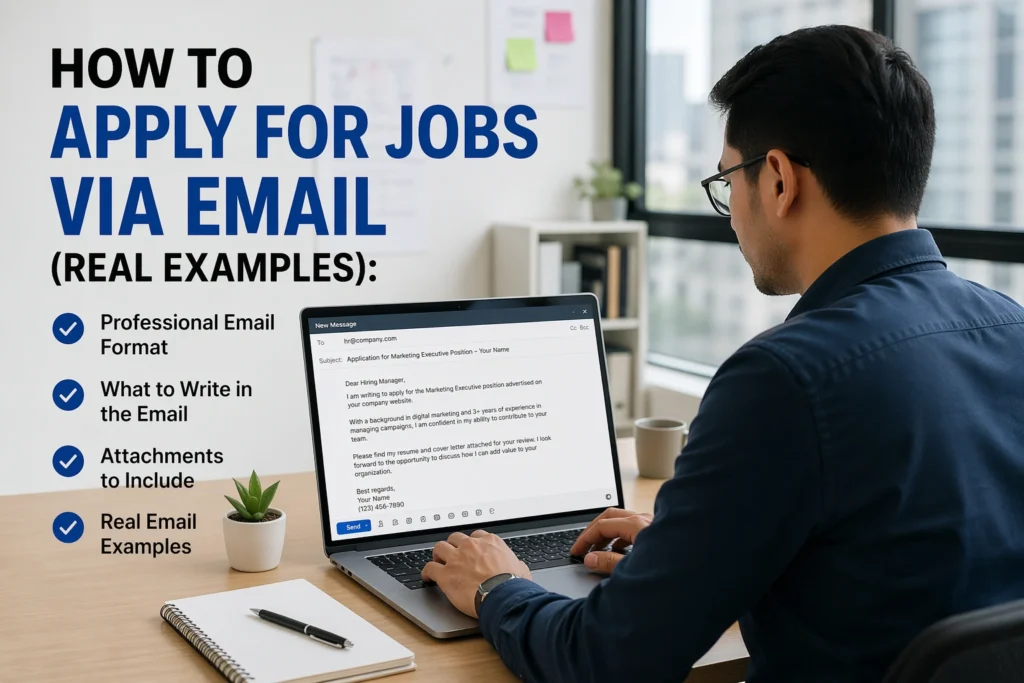

Applying for jobs via email sounds simple—attach your CV, write a quick message, hit send. But in reality, it’s one of the most misunderstood parts of the job search process. Many applicants either sound too casual, too robotic, or worse, get ignored completely.
If you’ve ever wondered why you’re not getting responses—even when you’re qualified—the problem might not be your experience. It might be how you’re presenting yourself in that email.
This guide on How to Apply for Jobs via Email (Real Examples) breaks down exactly what works, what doesn’t, and how to craft emails that get noticed, opened, and answered.
Understanding the Basics of Applying for Jobs via Email
Before jumping into templates and strategies, it’s important to understand what hiring managers actually look for when they receive an email application.
When you apply via email, your message serves three purposes at once:
- It’s your first impression
- It acts as a mini cover letter
- It determines whether your CV gets opened—or ignored
Unlike job portals where structure is predefined, email applications are completely open-ended. That freedom is powerful—but also risky if you don’t use it well.
A strong job application email should:
- Be concise but compelling
- Clearly state your intent
- Highlight your value quickly
- Make it easy for the recruiter to take the next step
ALSO APPLY FOR: AFGRI Apprenticeship 2026
ALSO APPLY FOR: Gibela Engineering Apprenticeships 2026
Why This Issue Matters
Getting your email application right isn’t just a small detail—it can directly affect your chances of landing interviews.
Here’s why it matters in the real world:
- Recruiters scan emails in seconds
If your message isn’t clear immediately, it may be skipped. - Competition is intense
Many roles receive dozens (or hundreds) of applications. A polished email can set you apart instantly. - It reflects professionalism
Your email communication is often seen as a preview of how you’ll communicate on the job. - Missed opportunities are silent
Most employers won’t tell you your email was weak—they’ll just not respond.
In short: a strong email doesn’t guarantee a job, but a weak one can quietly eliminate you.
How to Apply for Jobs via Email (Real Examples)
Let’s move into what you actually need to do—and see real examples that you can adapt.
Step 1: Use a Clear, Professional Subject Line
Your subject line determines whether your email gets opened.
Good examples:
- Application for Marketing Assistant – Jane Smith
- Graphic Designer Position – Portfolio Attached
- Job Application: Software Developer (Ref: 1234)
Avoid:
- “Job Application”
- “Hi”
- “Please hire me”
Tip: Always include the job title and your name.
Step 2: Start with a Professional Greeting
If possible, address a specific person.
Examples:
- Dear Mr. Nkosi,
- Dear Hiring Manager,
- Dear Recruitment Team,
Avoid overly casual greetings like “Hey” or “Hi there.”
Step 3: Write a Strong Opening Line
Your first sentence should immediately explain why you’re writing.
Example:
I am writing to apply for the Sales Associate position advertised on your website.
Or:
I would like to express my interest in the Administrative Assistant role at your company.
Keep it simple and direct.
Step 4: Highlight Your Value (Briefly)
This is where many people go wrong—they either say too much or too little.
Focus on:
- Relevant experience
- Key achievements
- Skills that match the role
Example:
With over three years of experience in customer service and a strong track record of exceeding sales targets, I believe I would be a valuable addition to your team.
Keep this section to 2–3 sentences max.
Step 5: Mention Attachments Clearly
Don’t assume the recruiter will notice your CV.
Example:
Please find my CV and cover letter attached for your review.
Optional:
I have also included a link to my portfolio below.
Step 6: Close Professionally
End with a polite call to action.
Example:
I would welcome the opportunity to discuss my application further. Thank you for your time and consideration.
Step 7: Use a Clean Signature
Include:
- Full name
- Phone number
- Email address
- Optional: LinkedIn profile
Full Real Example Email
Here’s a complete, polished version you can use as a reference:
Subject: Application for Administrative Assistant – Sarah Mokoena
Email Body:
Dear Hiring Manager,
I am writing to apply for the Administrative Assistant position advertised on your careers page.
I have over four years of experience supporting office operations, managing schedules, and handling client communications. In my previous role, I improved filing efficiency by 30% and consistently received positive feedback for organization and attention to detail.
Please find my CV attached for your review.
I would welcome the opportunity to discuss how my skills can contribute to your team. Thank you for your time and consideration.
Kind regards,
Sarah Mokoena
Phone: 082 123 4567
Email: sarah@email.com
ALSO READ ABOUT: How to Track All Your Job Applications Easily
Best Practices Experts Recommend
If you want to go from “average applicant” to “memorable candidate,” these practices make a real difference:
Keep It Short and Focused
Hiring managers don’t read long emails. Aim for 100–150 words.
Customize Every Email
Avoid copy-paste applications. Mention:
- The company name
- The specific role
- Why you’re interested
Use Professional Language
Simple, clear English is better than complicated wording.
Double-Check Attachments
It’s surprisingly common to forget to attach your CV.
Name Your Files Properly
Use:
- Jane_Smith_CV.pdf
- John_Doe_Cover_Letter.pdf
Not:
- CV_final_v2_new.pdf
Apply Early When Possible
Emails sent early often get more attention.
Mistakes People Often Make
Even strong candidates lose opportunities because of small, avoidable errors.
Writing Too Much
Long emails can overwhelm recruiters. Keep it concise.
Being Too Generic
“Dear Sir/Madam, I am applying for a job” doesn’t stand out.
Using an Unprofessional Email Address
Avoid addresses like:
Use a clean format:
Forgetting Attachments
This instantly damages credibility.
Poor Formatting
Walls of text or messy spacing reduce readability.
No Subject Line Strategy
A vague subject line can cause your email to be ignored.
FAQs
1. Should I include a cover letter in the email or as an attachment?
It depends on the employer’s instructions. If not specified:Keep a short version in the email and
Attach a full cover letter as a document
2. What file format should I use for attachments?
PDF is usually best. It preserves formatting and looks professional.
3. Is it okay to follow up after sending an email application?
Yes. Wait about 5–7 business days, then send a polite follow-up.
Example:I’m following up on my application for the Marketing Assistant role. I remain very interested in the opportunity.
4. Can I apply to multiple jobs at the same company via email?
Yes, but send separate emails for each role and tailor each message accordingly.
What Actually Makes the Difference
Mastering How to Apply for Jobs via Email (Real Examples) isn’t about sounding impressive—it’s about being clear, relevant, and professional.
If you take away just a few key actions, make them these:
- Use a strong, specific subject line
- Keep your message short and focused
- Highlight your value quickly
- Always double-check attachments
- Customize every application
Small improvements in your email approach can lead to more responses, more interviews, and ultimately, better job opportunities.
If you want, I can also review one of your draft job application emails and improve it line-by-line.
ALSO APPLY FOR: AFGRI Apprenticeship 2026
ALSO APPLY FOR: Gibela Engineering Apprenticeships 2026
ALSO READ ABOUT: How to Track All Your Job Applications Easily